HubSpot Overview
HubSpot is one of the most popular all-in-one CRM platforms for marketing, sales, and customer service. Used by startups, small businesses, and enterprises, HubSpot helps companies attract leads, convert customers, and manage relationships in one centralized system.
In this in-depth HubSpot review, we’ll cover features, pricing, pros and cons, and who HubSpot is best for so you can decide if it’s the right tool for your business in 2025.
Table of Contents
HubSpot Features
HubSpot offers an all-in-one platform designed to help businesses manage marketing, sales, customer service, and content from a single dashboard. Below is a clear breakdown of the most important HubSpot features, explained in a simple and practical way.
Key HubSpot Features:
- CRM (Customer Relationship Management):
HubSpot’s free CRM allows you to store contacts, track deals, log interactions, and monitor customer activity in real time. It centralizes all customer information in one place for easy access and collaboration. - Marketing Hub:
Includes email marketing, lead capture forms, landing pages, automation workflows, and A/B testing. These tools help businesses attract visitors, generate leads, and nurture them automatically. - Sales Hub:
Offers deal tracking, email notifications, meeting scheduling, quotes, and sales automation. Sales teams can manage pipelines efficiently and prioritize high-value leads. - Service Hub:
Provides ticketing, live chat, chatbots, knowledge base creation, and customer feedback surveys. These features enhance customer support and retention. - CMS Hub:
Allows you to create and manage websites with drag-and-drop editors, blog management, SEO tools, and smart content personalization. - Automation & Workflows:
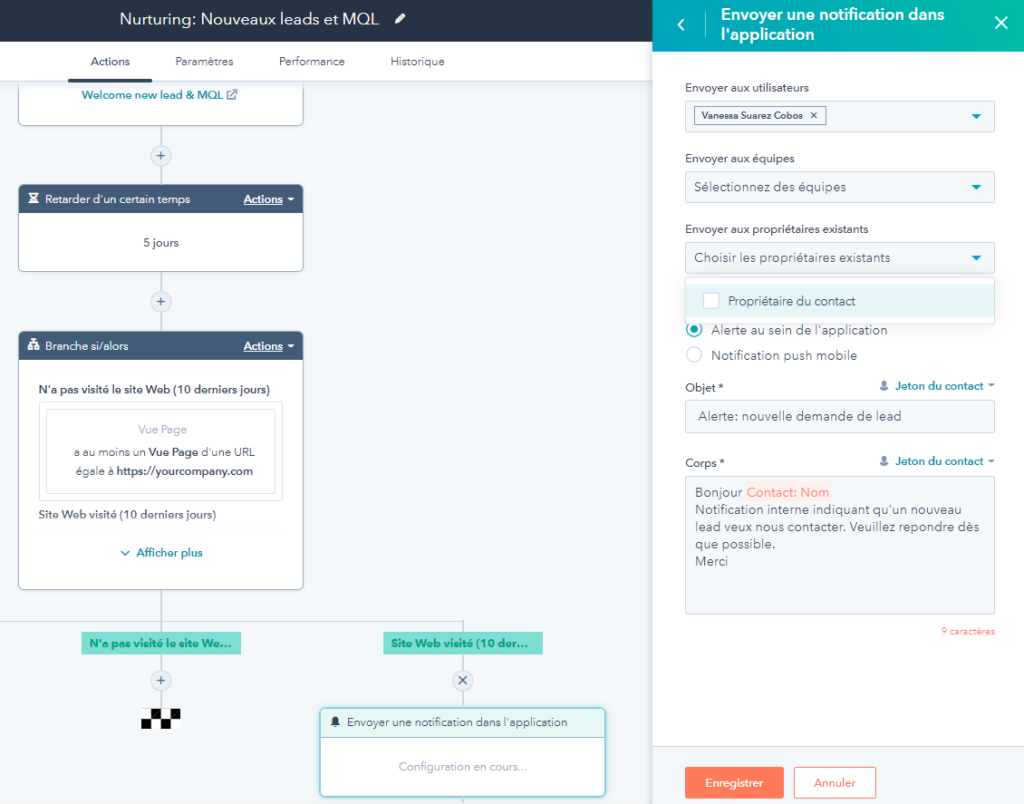
Automate emails, lead nurturing, internal notifications, and task assignments, saving time and ensuring no lead is overlooked. - Analytics & Reporting:
HubSpot provides custom dashboards, campaign performance metrics, revenue attribution, and detailed reporting to help businesses make data-driven decisions. - Integrations & App Marketplace:
Seamlessly connects with hundreds of third-party apps like Google Workspace, Slack, Zoom, Shopify, and more, extending HubSpot’s functionality. - HubSpot Academy:
Offers free courses, tutorials, and certifications to help users learn marketing, sales, and CRM best practices.
certification badges.
These HubSpot features make it a comprehensive, scalable platform that supports businesses at every stage of growth while keeping processes simple and efficient.
HubSpot Pricing Plans
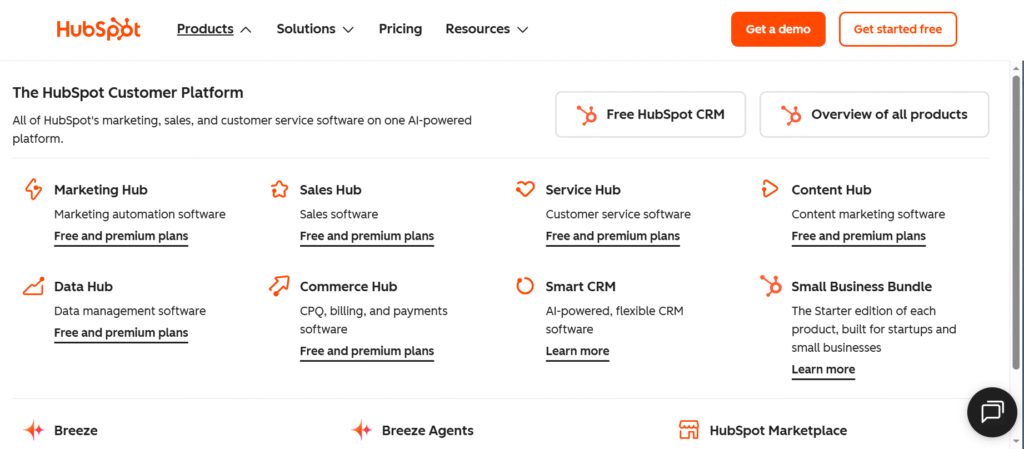
HubSpot offers flexible pricing plans designed to fit businesses of all sizes, from startups to large enterprises. It starts with free tools that include the core CRM, contact management, and basic marketing, sales, and service features. For growing teams, Starter plans remove HubSpot branding and add basic automation at a low monthly cost. The Professional plans are built for scaling businesses and unlock advanced automation, reporting, and multi-channel marketing, with pricing increasing based on contacts and users. Finally, Enterprise plans provide the most powerful features, including advanced analytics, custom reporting, AI-driven tools, and deeper automation for large teams. Overall, HubSpot pricing scales with your business needs and becomes more powerful as you move up each tier.
Ease of Use & User Interface
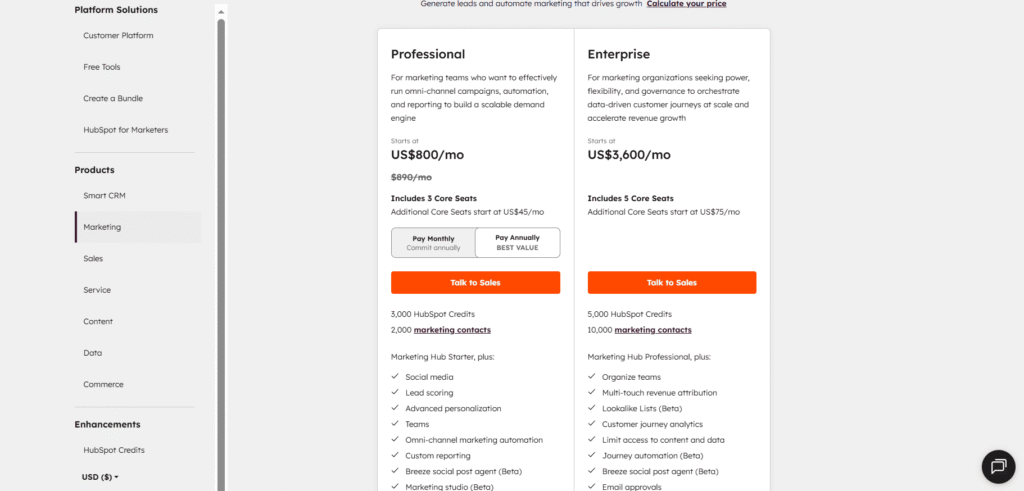
One of the standout aspects of HubSpot is its ease of use and intuitive user interface. Designed for both beginners and experienced professionals, HubSpot’s platform offers a clean, organized dashboard where all hubs Marketing, Sales, Service, CMS are accessible from a single menu. The drag-and-drop editors for emails, landing pages, and website content make creating campaigns straightforward, even for users with no coding experience. Navigation is simple, with clearly labeled sections, search functionality, and helpful tooltips throughout the platform. Additionally, HubSpot provides in-app guidance and step-by-step tutorials to help new users get up to speed quickly.
Even though HubSpot is feature-rich, the platform avoids overwhelming users by presenting advanced options only when needed, keeping the interface uncluttered. This makes it easy for teams to manage contacts, track deals, create workflows, and generate reports without a steep learning curve. The combination of usability and a visually appealing interface is one reason why HubSpot consistently ranks highly for user satisfaction.
HubSpot CRM Capabilities
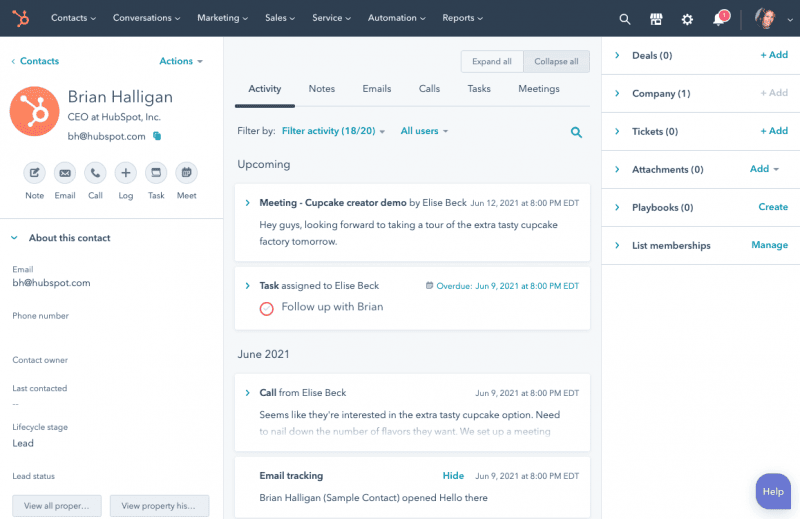
HubSpot offers a powerful CRM at the heart of its platform, designed to help businesses manage customer relationships efficiently. The CRM centralizes all contact information, interaction history, and deal data, making it easy for sales and marketing teams to track every stage of the customer journey. Users can log emails, calls, and meetings automatically, assign tasks, and track deal progress through customizable pipelines.
Key CRM features include contact and company management, deal tracking, task automation, lead scoring, and real-time reporting. HubSpot’s CRM also integrates seamlessly with its Marketing, Sales, and Service hubs, allowing teams to share insights and collaborate effectively. Additionally, the CRM is highly scalable, supporting small startups as well as large enterprises with complex workflows.
Marketing Automation & Email Marketing
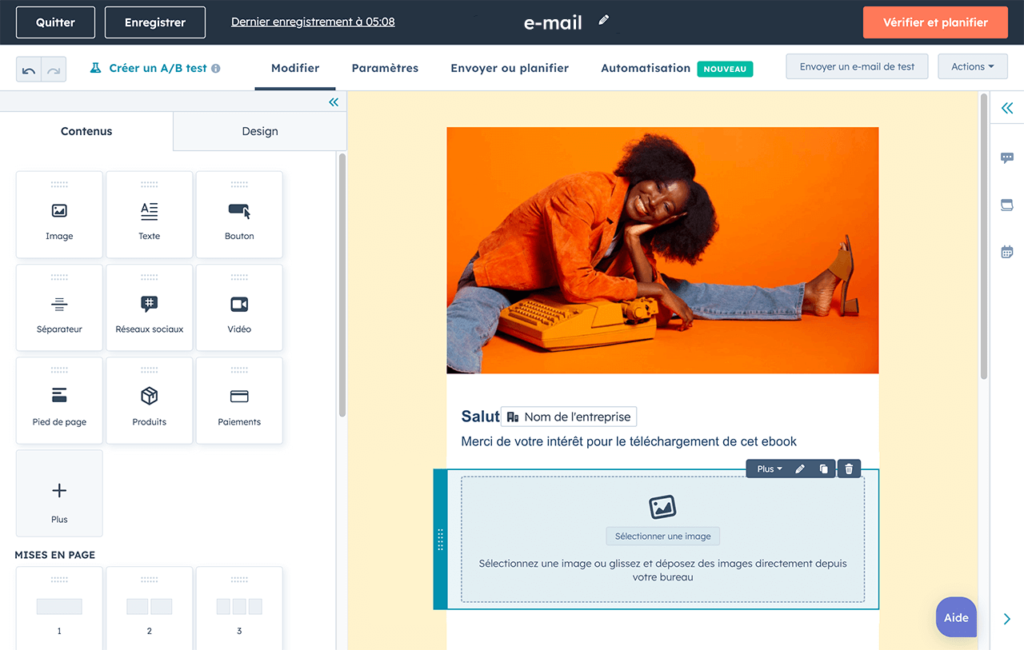
HubSpot excels in marketing automation and email marketing, providing tools that help businesses attract, engage, and nurture leads efficiently. With HubSpot, you can create automated workflows that trigger emails, tasks, or notifications based on customer behavior, ensuring timely and personalized communication. The drag-and-drop email editor makes it easy to design professional campaigns without coding, and built-in A/B testing allows you to optimize subject lines, content, and sending times.
Other key features include lead segmentation, contact lists, dynamic content personalization, and detailed performance analytics. These capabilities help marketers deliver the right message to the right audience at the right time, improving engagement and conversion rates. HubSpot’s marketing automation integrates seamlessly with its CRM, allowing you to track leads from first interaction to closed deal.
Integrations & App Marketplace
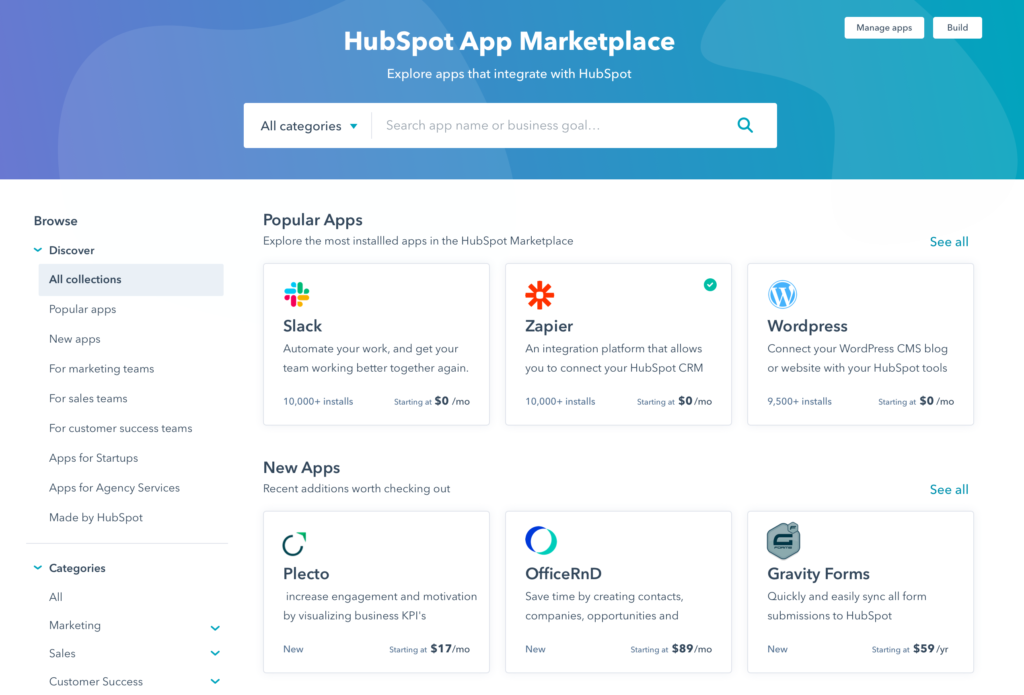
HubSpot offers a robust ecosystem of integrations and an App Marketplace that allows businesses to connect the platform with hundreds of third-party tools. From popular apps like Salesforce, Shopify, Zoom, Slack, and WordPress to specialized marketing and analytics tools, HubSpot ensures that your workflows remain seamless across different software.
The App Marketplace makes it easy to discover, install, and manage integrations, often without technical expertise. Users can automate data syncing, improve team collaboration, and extend HubSpot’s native capabilities. This flexibility ensures that whether your business relies on email marketing, e-commerce, customer support, or analytics, HubSpot can adapt to your tech stack.
Analytics, Reporting & ROI Tracking
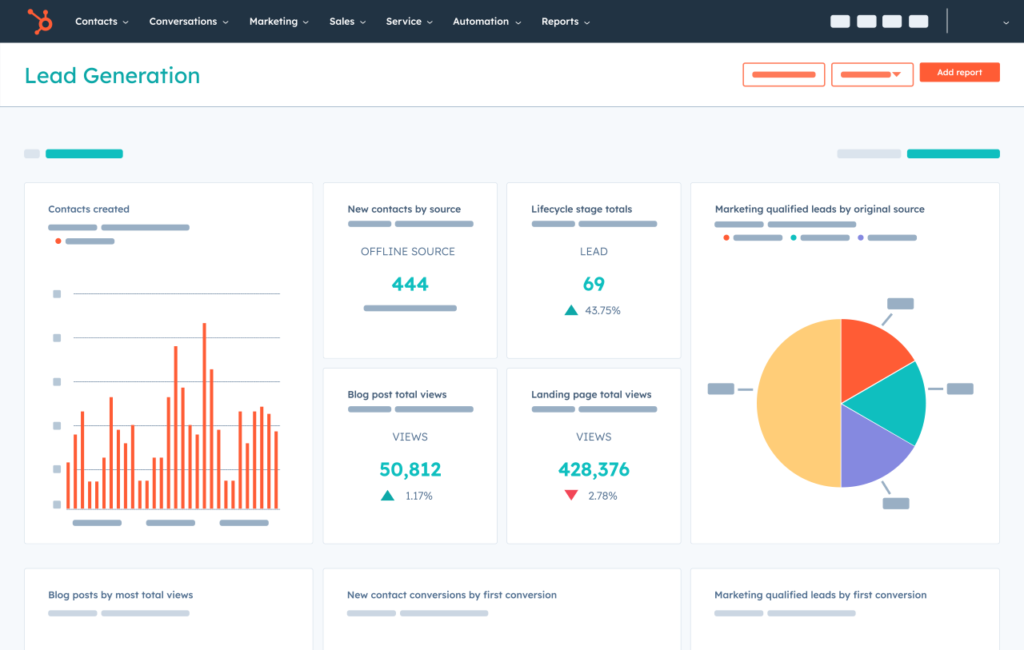
HubSpot provides comprehensive analytics, reporting, and ROI tracking tools that help businesses measure performance across marketing, sales, and customer service. Users can create custom dashboards to monitor key metrics like website traffic, lead conversions, email performance, deal progress, and customer satisfaction—all in real time.
HubSpot’s reporting features allow teams to track the effectiveness of campaigns, sales activities, and service efforts, helping to identify what’s working and where improvements are needed. Revenue attribution reporting shows exactly how marketing and sales efforts contribute to growth, enabling data-driven decisions. Additionally, the platform offers automated report generation, making it easy to share insights with stakeholders and optimize business strategies.
Customer Support & Learning Resources
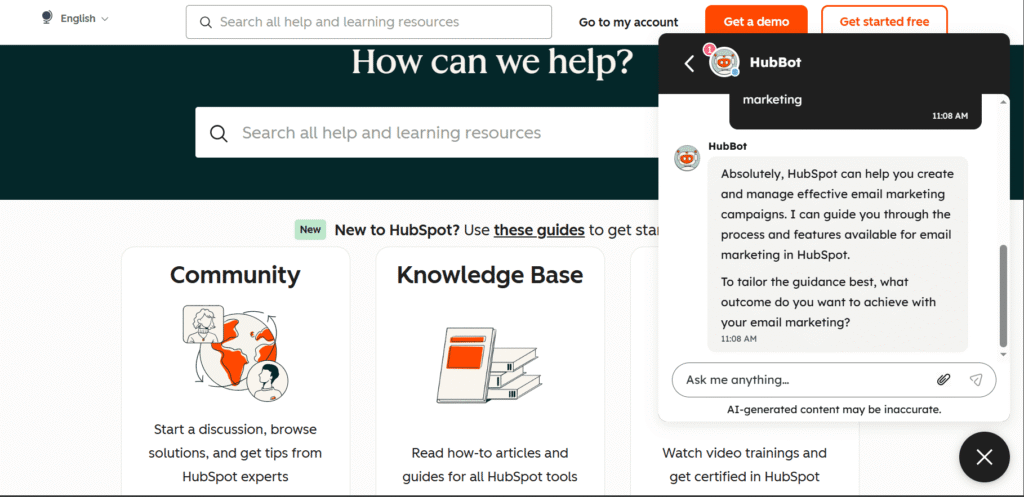
HubSpot stands out for its customer support and learning resources, making it easy for users to get help and improve their skills. The platform offers multiple support channels, including live chat, email, and phone support for paid plans, while free users can access community forums and knowledge base articles.
In addition to support, HubSpot provides HubSpot Academy, a comprehensive educational platform with free courses, certifications, tutorials, and best-practice guides covering marketing, sales, CRM, and service. This empowers teams to learn how to use HubSpot effectively, stay updated on industry trends, and improve overall productivity. The combination of responsive support and structured learning ensures users can maximize the value of the platform.
HubSpot Pros & Cons
HubSpot is a comprehensive platform with many advantages, but it also has some limitations. Here’s a clear breakdown:
Pros:
- All-in-One Platform: Combines CRM, marketing, sales, service, and CMS in a single dashboard.
- User-Friendly Interface: Intuitive design with drag-and-drop editors and easy navigation.
- Powerful Automation: Advanced workflows, email automation, and lead nurturing capabilities.
- Free CRM Available: Access core features at no cost, ideal for startups and small businesses.
- Extensive Integrations: Connects seamlessly with hundreds of third-party apps.
- HubSpot Academy: Comprehensive free learning resources and certifications.
- Analytics & Reporting: Detailed dashboards, revenue attribution, and ROI tracking.
Cons:
- Pricing Can Be High: Professional and Enterprise plans can be expensive for growing teams.
- Complexity at Scale: Advanced features may require training to use effectively.
- Contact-Based Pricing: Marketing Hub costs increase as the number of contacts grows.
- Customization Limits: Some users may find limitations in reporting or workflow customization without Enterprise plans.
Conclusion
In summary, HubSpot is a comprehensive, user-friendly platform that combines CRM, marketing, sales, service, and website management into a single solution. Its wide range of features, from powerful automation and reporting to robust integrations and educational resources, makes it suitable for businesses of all sizes. Whether you’re a startup looking for free CRM tools, a growing team needing advanced marketing automation, or an enterprise requiring scalable workflows and detailed analytics, HubSpot provides the tools to streamline operations, improve customer relationships, and drive growth.
With its intuitive interface, extensive support, and flexible pricing plans, HubSpot stands out as a top choice for businesses aiming to manage all aspects of customer engagement efficiently.
FAQ
What is HubSpot?
HubSpot is an all-in-one platform that combines CRM, marketing, sales, customer service, and website management tools. It helps businesses attract leads, manage customer relationships, and streamline operations.
How much does HubSpot cost?
HubSpot offers free tools for basic CRM and marketing, while its paid plans Starter, Professional, and Enterprise provide advanced automation, analytics, and reporting. Pricing varies depending on the hub and number of users or contacts
Is HubSpot easy to use?
Yes, HubSpot is known for its user-friendly interface. Drag-and-drop editors, intuitive dashboards, and step-by-step tutorials make it easy for both beginners and advanced users to manage marketing, sales, and service tasks.
Can I use HubSpot for free?
Yes, HubSpot provides a free CRM with essential marketing, sales, and service tools. This is ideal for startups and small businesses that want to test the platform before upgrading to paid plans.
What features does HubSpot offer?
Key HubSpot features include: CRM, email marketing, marketing automation, sales pipeline management, customer service tools, CMS, analytics and reporting, integrations, and HubSpot Academy for learning.