What Is Mailchimp and How It Works
Mailchimp is an all-in-one email marketing and marketing automation platform designed to help businesses communicate with their audience, build relationships, and increase sales. While Mailchimp is best known for email marketing, it also includes tools for automation, audience management, basic CRM, analytics, and ecommerce integrations.
At its core, Mailchimp helps businesses send the right message to the right people at the right time—without needing advanced technical skills. This makes Mailchimp especially popular among beginners, small businesses, bloggers, ecommerce stores, and growing brands.
Table of Contents
Core Functionality Overview
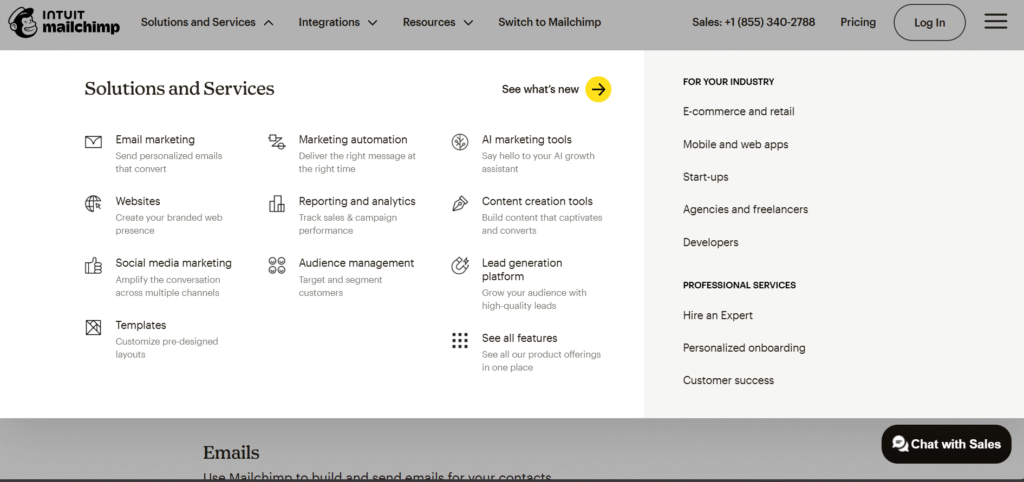
Mailchimp combines several essential marketing tools into one platform. Its core functionality includes:
- Email marketing: Create and send newsletters, promotions, and announcements
- Marketing automation: Set up automated workflows based on user behavior
- Audience management: Organize, tag, and segment contacts
- Basic CRM features: Track customer interactions and engagement
- Analytics and reporting: Measure campaign performance and revenue
- Integrations: Connect Mailchimp with ecommerce platforms, websites, and apps
All of these features are accessible from a centralized dashboard, making Mailchimp easy to manage even for non-technical users.
Email Marketing in Mailchimp
Email marketing is the foundation of Mailchimp. The platform allows users to create different types of email campaigns, including:
- Regular campaigns: One-time emails such as newsletters or announcements
- Automated emails: Triggered messages based on actions or events
- RSS-to-email campaigns: Automatically send blog updates to subscribers
Mailchimp’s drag-and-drop email editor makes it easy to design professional emails without coding. Users can choose from pre-designed templates or build emails from scratch using content blocks like text, images, buttons, and product listings.
Mailchimp also supports personalization through merge tags and dynamic content, allowing emails to adapt based on subscriber data such as name, location, or past purchases.
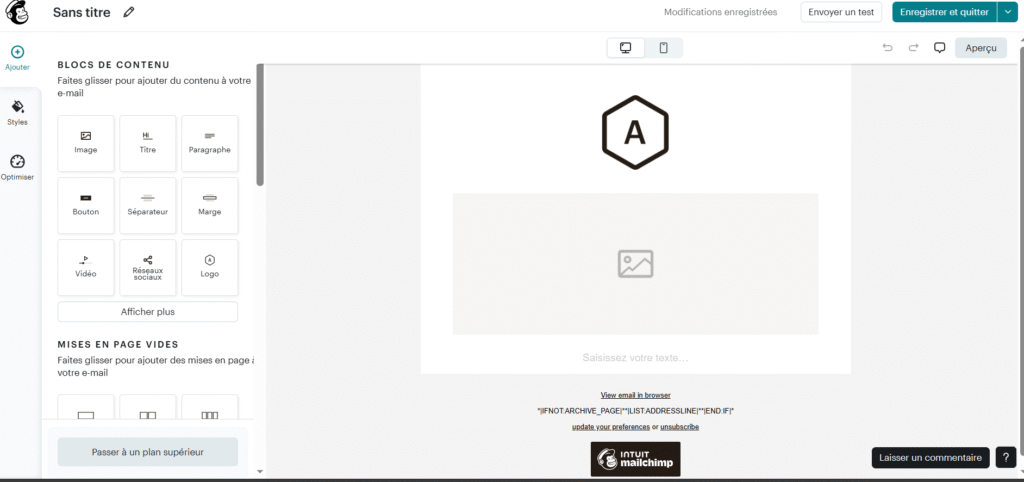
Automation and Customer Journeys
Mailchimp’s automation tools help businesses save time and increase engagement by sending emails automatically based on user behavior.
Common automation use cases include:
- Welcome email sequences
- Abandoned cart reminders
- Product follow-ups
- Re-engagement campaigns for inactive subscribers
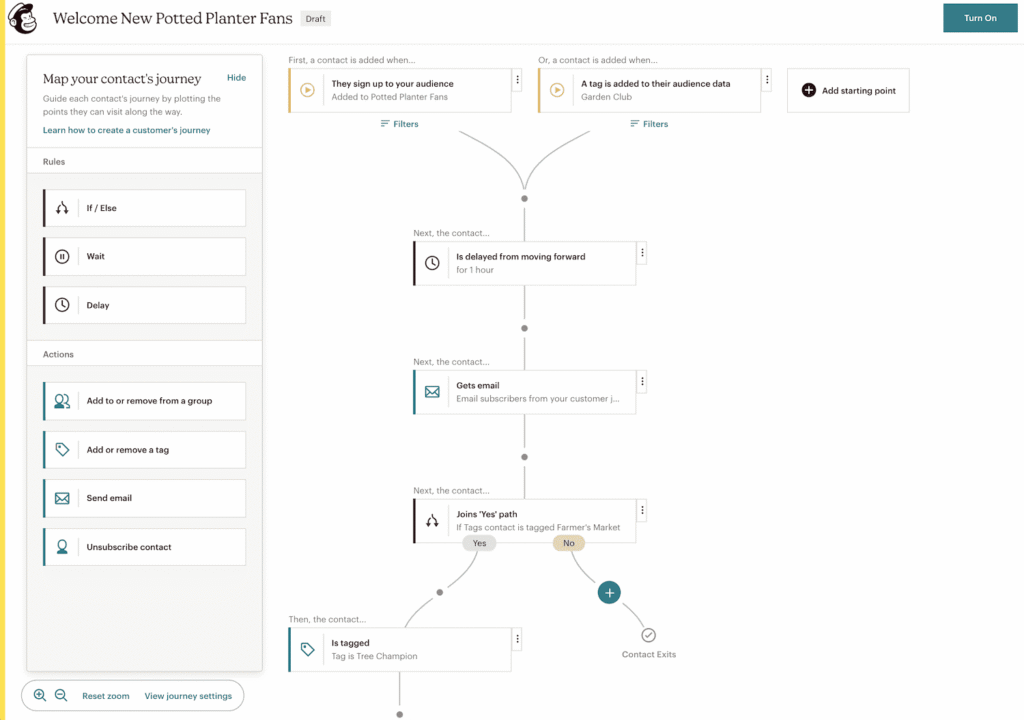
The Customer Journey Builder allows users to visually design automation workflows using triggers such as email opens, link clicks, purchases, or website activity. This makes Mailchimp automation powerful yet easy to understand.
By automating repetitive tasks, Mailchimp helps businesses nurture leads and customers more effectively.
CRM Basics in Mailchimp
Mailchimp includes basic CRM (Customer Relationship Management) features that help businesses better understand their audience.
Instead of managing separate lists, Mailchimp uses a single audience model with tags and segments. This allows users to :
- Track contact activity and engagement
- Add tags based on behavior or interests
- View purchase history and campaign interactions
- Create targeted segments for personalized campaigns
While Mailchimp is not a full enterprise CRM, its built-in CRM tools are more than sufficient for small businesses and ecommerce brands.
Typical Mailchimp Workflow
A typical Mailchimp workflow follows a simple and logical process:
- Collect contacts
Import contacts or collect them using signup forms, landing pages, or integrations. - Organize your audience
Use tags and segments to group subscribers based on behavior or interests. - Create a campaign
Design an email using templates or the drag-and-drop editor. - Add automation (optional)
Set up automated workflows or customer journeys. - Send or schedule emails
Choose the best time to reach your audience. - Analyze performance
Review reports to track opens, clicks, conversions, and revenue.
This workflow makes Mailchimp easy to use for beginners while still offering advanced options for experienced marketers.
Ease of Use and User Interface
One of the main reasons Mailchimp is so widely used is its ease of use. The platform is designed to help beginners launch email campaigns quickly while still offering advanced tools for experienced marketers. From the dashboard to campaign creation, Mailchimp focuses on simplicity, clarity, and usability.
Dashboard Usability
The Mailchimp dashboard is clean, modern, and well-organized. Key sections such as Campaigns, Audience, Automations, Analytics, and Integrations are easy to find from the main navigation menu.
Important information like recent campaign performance, audience growth, and recommendations is displayed clearly, allowing users to understand their account status at a glance. Mailchimp also provides contextual tips and suggestions directly inside the dashboard, which helps users make better marketing decisions.
Overall, the dashboard design reduces clutter and makes daily tasks faster and more intuitive.
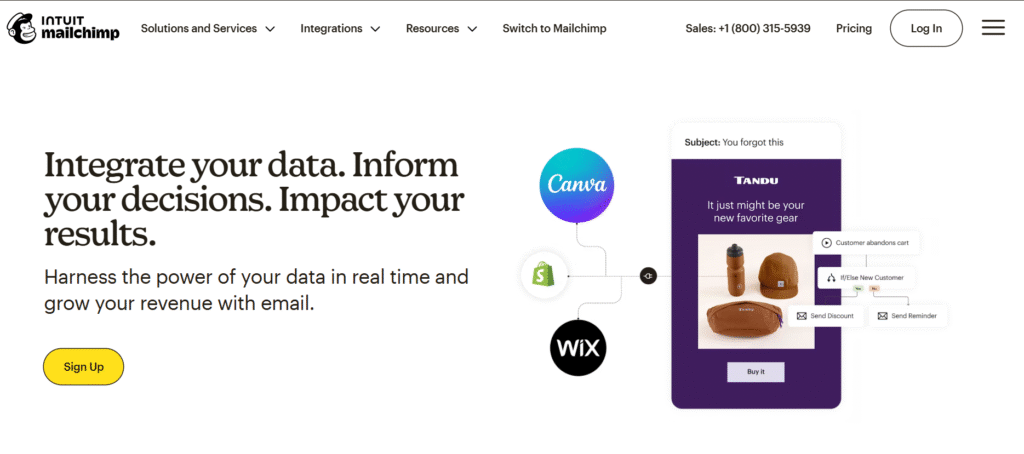
Campaign Creation Process
Creating an email campaign in Mailchimp follows a simple, step-by-step process. Users are guided through each stage, including:
- Choosing the campaign type
- Selecting an audience or segment
- Designing the email using templates or the drag-and-drop editor
- Setting subject lines and preview text
- Scheduling or sending the campaign
Each step includes clear instructions and validation checks to prevent common mistakes. For example, Mailchimp alerts users if a subject line is missing or if audience settings are incomplete.
This guided workflow makes it easy to create professional campaigns, even for users with no prior email marketing experience.
Learning Curve for Beginners
Mailchimp has a very low learning curve compared to many other email marketing platforms. Most beginners can create and send their first email within minutes.
The platform includes:
- On-screen tips and explanations
- Pre-built templates and automation workflows
- A comprehensive knowledge base and tutorials
Mailchimp Academy offers free courses that help users understand email marketing best practices, automation, and analytics. As users grow more confident, they can gradually explore advanced features like segmentation, A/B testing, and customer journeys.
For beginners and small businesses, Mailchimp strikes an excellent balance between simplicity and power.
Email Campaign Features in Mailchimp
Mailchimp offers a wide range of email campaign features designed to help businesses create engaging emails, improve open rates, and drive conversions. Whether you are sending simple newsletters or running advanced marketing campaigns, Mailchimp provides the tools needed to manage every stage of email marketing.
Types of Email Campaigns
Mailchimp supports several types of email campaigns, allowing businesses to choose the format that best fits their goals:
- Regular campaigns: One-time emails such as newsletters, announcements, or promotions
- Automated campaigns: Emails sent automatically based on user actions or triggers
- RSS-to-email campaigns: Automatically send blog updates to subscribers when new content is published
These options make Mailchimp flexible enough for content creators, ecommerce stores, and service-based businesses.
Email Design and Customization
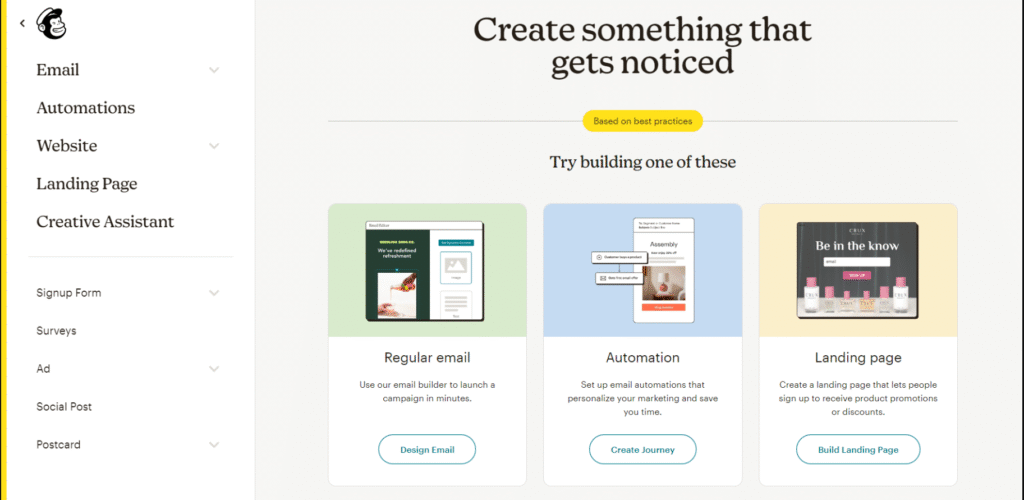
Mailchimp includes a powerful drag-and-drop email editor that allows users to design professional emails without any coding skills. Users can start with pre-designed templates or build emails from scratch using content blocks such as text, images, buttons, dividers, and product sections.
For advanced users, Mailchimp also supports custom HTML templates and a built-in code editor, offering full control over email design.
The platform makes it easy to preview emails on desktop and mobile devices to ensure a consistent experience across screens.
Personalization and Dynamic Content
Personalization is a key strength of Mailchimp. Users can personalize emails using merge tags such as first name, location, or past purchase data.
Mailchimp also supports dynamic content, allowing different content blocks to be shown to different segments of the audience. This improves relevance and engagement by delivering tailored messages to each subscriber.
Personalized emails typically result in higher open rates and click-through rates.
A/B Testing and Optimization
Mailchimp includes built-in A/B testing tools that help optimize campaign performance. Users can test:
- Subject lines
- From names
- Email content
- Send times
Mailchimp automatically measures performance and identifies the winning version, making it easier to improve results over time without manual analysis.
Scheduling and Delivery Options
Mailchimp allows users to send campaigns immediately or schedule them for a specific date and time. The platform also offers send-time optimization, which uses data to deliver emails when subscribers are most likely to engage.
These delivery options help maximize visibility and engagement across different time zones.
Campaign Performance Tracking
After sending a campaign, Mailchimp provides detailed performance reports that include open rates, click-through rates, bounce rates, unsubscribes, and ecommerce revenue (if connected).
These insights help businesses understand what works and continuously improve their email marketing strategy.
Mailchimp Automation and Customer Journeys
Mailchimp’s automation and customer journey tools allow businesses to deliver personalized, timely emails without manual intervention. Using Mailchimp, you can set up automated workflows for welcome sequences, abandoned cart reminders, product follow-ups, or re-engagement campaigns. The Customer Journey Builder provides a visual interface to map out each step of the workflow, using triggers such as email opens, link clicks, purchases, or website activity. This feature makes it easy to nurture leads, retain customers, and improve conversions. With Mailchimp automation, businesses can create sophisticated marketing campaigns that engage the right audience at the right time, all while saving time and effort.
Templates and Design Tools
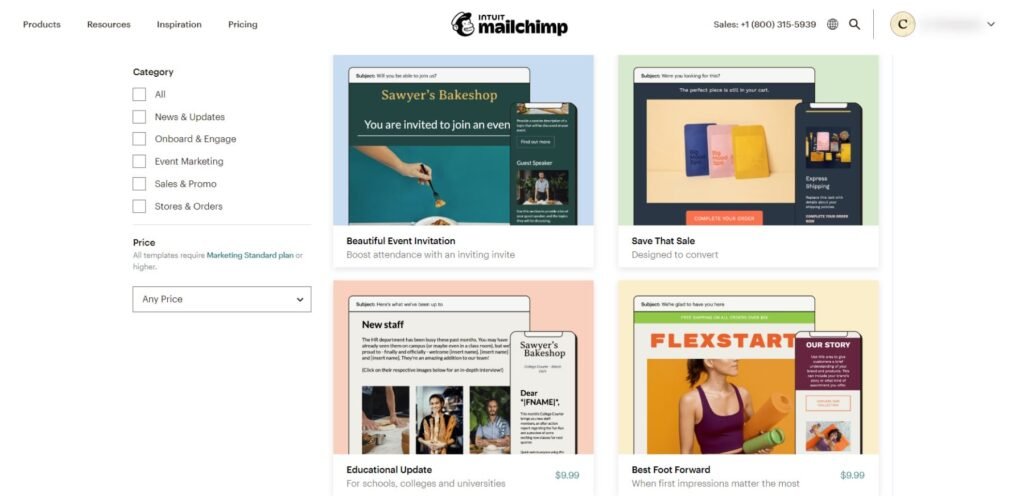
Mailchimp provides a wide variety of templates and design tools to help users create professional-looking emails quickly and easily. The platform offers pre-designed templates for newsletters, promotions, announcements, and ecommerce campaigns, which can be fully customized using Mailchimp’s drag-and-drop editor. Users can add text, images, buttons, social icons, and product blocks without any coding knowledge. For advanced users, Mailchimp also supports custom HTML templates and a built-in code editor, allowing full control over email design. Additionally, the Brand Kit feature helps maintain consistent branding by storing logos, brand colors, and fonts. These tools make Mailchimp a flexible and powerful solution for both beginners and experienced marketers who want visually appealing campaigns.
Audience Management and Segmentation
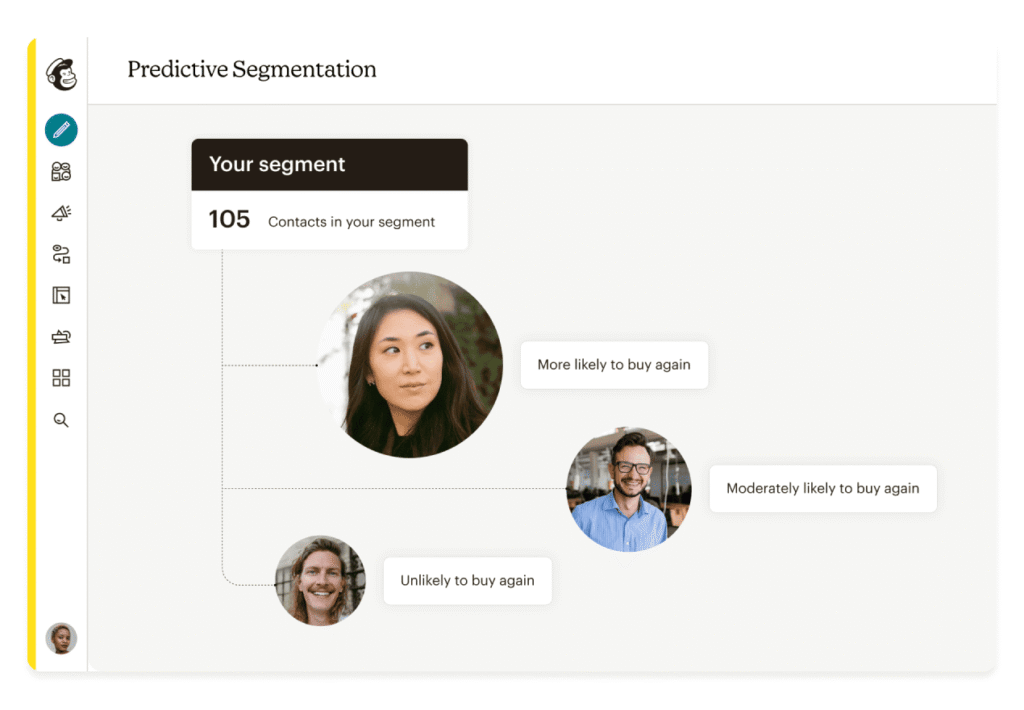
Mailchimp makes audience management and segmentation simple and effective, allowing businesses to send targeted messages that increase engagement. With Mailchimp, you can organize your contacts using tags, groups, and segments based on behavior, demographics, or purchase history. Advanced segmentation lets you create highly personalized campaigns for specific audiences, such as frequent buyers, inactive subscribers, or location-based groups. Mailchimp also provides tools for data cleaning, removing duplicates, and syncing contacts across platforms, ensuring your audience stays organized and up-to-date. Effective audience management and segmentation in Mailchimp help businesses deliver the right content to the right people at the right time, improving campaign performance and ROI.
Mailchimp Deliverability and Performance
Mailchimp is known for its strong email deliverability and reliable performance, helping businesses ensure their messages reach subscribers’ inboxes. The platform maintains a high sender reputation and includes tools for authentication, spam prevention, and compliance with email regulations like GDPR and CAN-SPAM. Mailchimp also provides recommendations to optimize subject lines, content, and sending times, improving engagement rates. By monitoring bounce rates, open rates, and click-through rates, businesses can continuously refine their campaigns for better results. With Mailchimp, you can trust that your emails are delivered efficiently and perform effectively across your audience.
Analytics and Reporting in Mailchimp
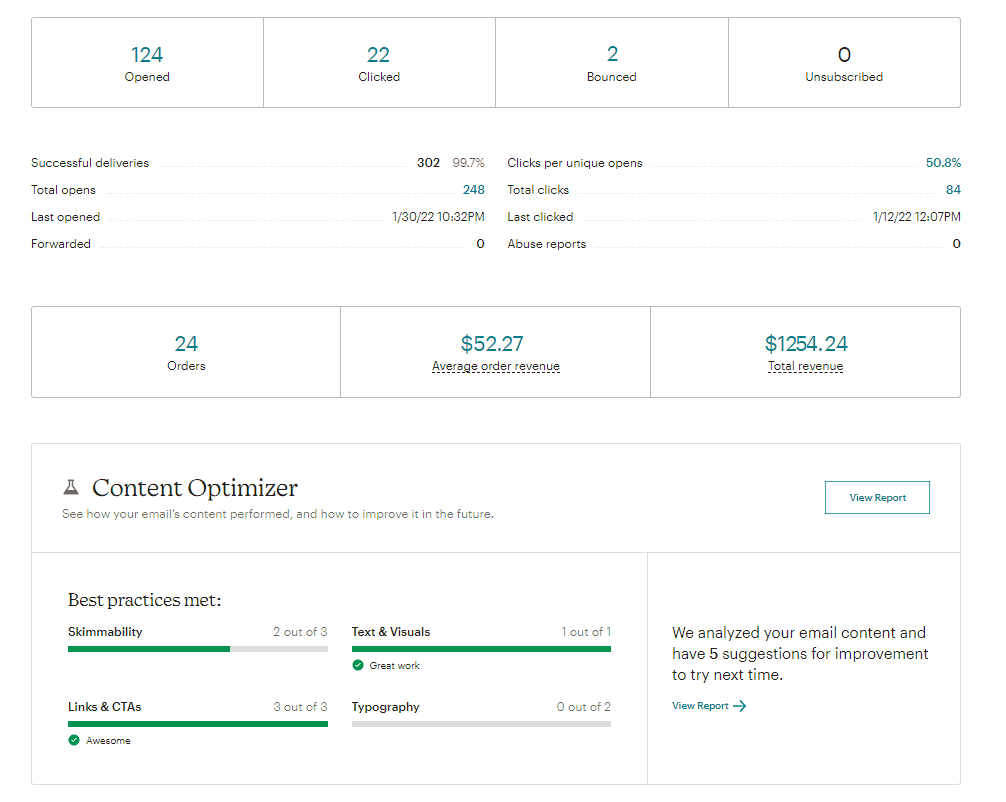
Mailchimp provides comprehensive analytics and reporting tools that allow businesses to measure the effectiveness of their email campaigns. With Mailchimp, you can track key metrics such as open rates, click-through rates, bounce rates, unsubscribes, and overall engagement. For ecommerce businesses, Mailchimp also offers revenue tracking, showing how campaigns contribute to sales. Users can create custom reports, compare campaign performance over time, and identify trends to improve future marketing strategies. The intuitive dashboards make it easy to visualize data, helping marketers make informed decisions quickly.
Integrations and App Ecosystem
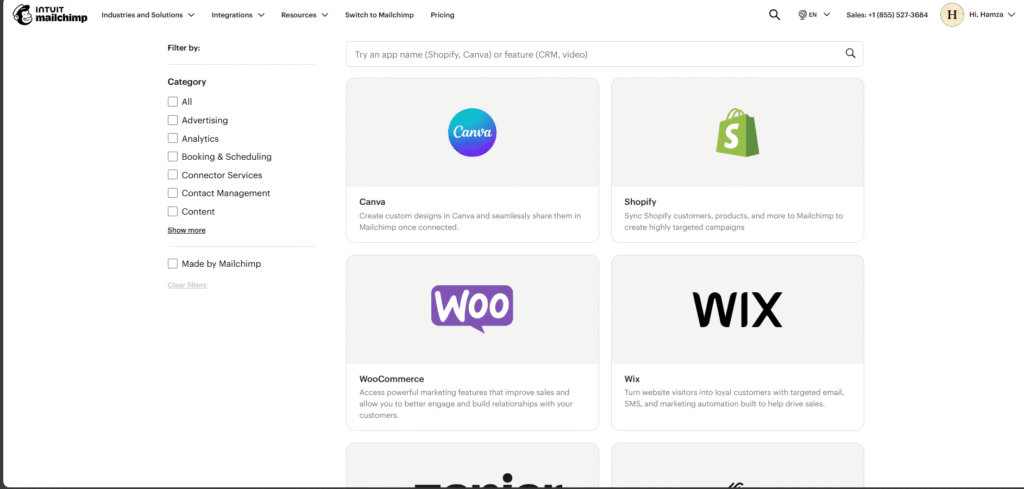
Mailchimp offers a robust integrations and app ecosystem, allowing businesses to connect their email marketing with a wide range of tools and platforms. Users can integrate Mailchimp with ecommerce platforms like Shopify and WooCommerce, website builders like WordPress, and CRM systems to streamline marketing workflows. Mailchimp also supports social media integrations, analytics tools, and third-party apps to enhance functionality. Additionally, developers can use Mailchimp’s API to create custom integrations tailored to specific business needs. These integrations make it easy for businesses to centralize marketing operations and ensure that their campaigns are coordinated across multiple channels.
Mailchimp Pricing Plans Explained
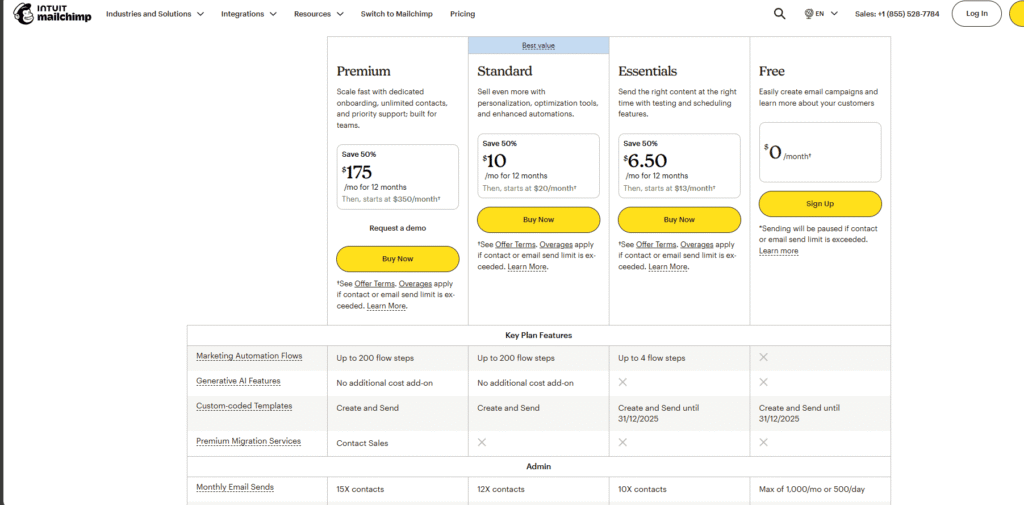
Mailchimp offers a variety of pricing plans designed to meet the needs of different businesses, from beginners to growing enterprises. The Free plan allows users to get started with basic email marketing, including up to 500 contacts and limited automation features. The Essentials plan unlocks more templates, advanced support, and higher sending limits, making it ideal for small businesses looking to scale. The Standard plan adds advanced automation, A/B testing, and detailed analytics, while the Premium plan offers unlimited contacts, advanced segmentation, multivariate testing, and priority support for larger enterprises.
It’s important to note that pricing increases as your contact list grows, so businesses should consider their audience size and feature needs when choosing a plan. Mailchimp’s flexible pricing ensures that small businesses can start for free and upgrade as their marketing needs expand.
Mailchimp for Small Businesses vs Enterprises
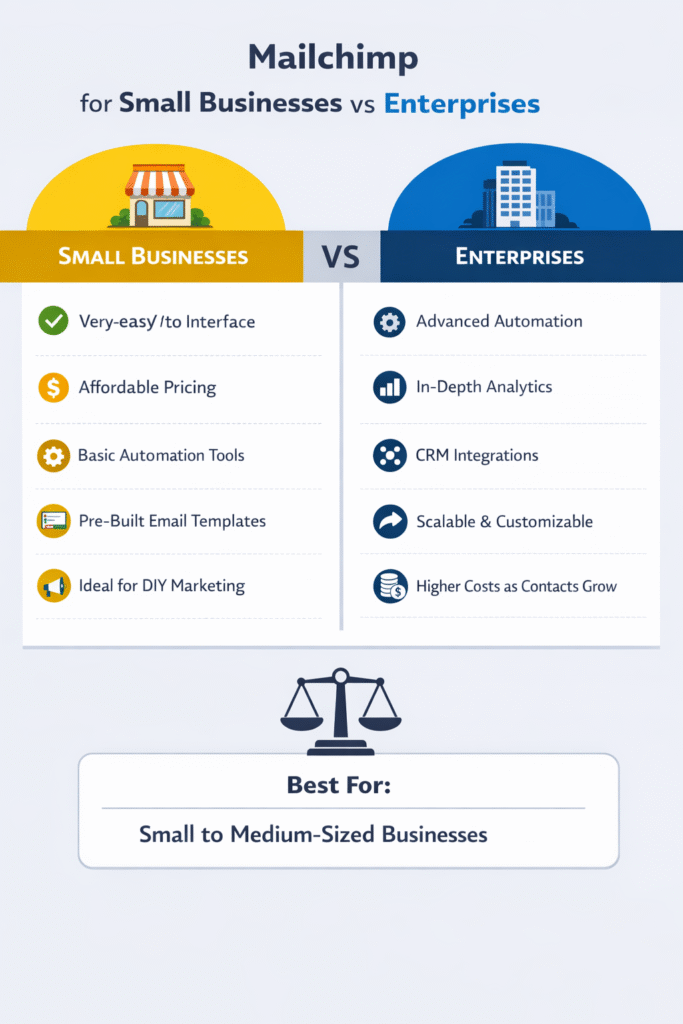
Mailchimp is a versatile platform suitable for both small businesses and larger enterprises, but its features and pricing make it particularly appealing for smaller organizations. For small businesses, Mailchimp provides an easy-to-use interface, pre-built templates, automation tools, and affordable pricing, allowing owners and marketing teams to manage email campaigns efficiently without needing a dedicated technical team. For enterprises, Mailchimp offers advanced automation, segmentation, analytics, and integrations; however, costs can increase significantly as the contact list grows, and some complex CRM requirements may exceed Mailchimp’s capabilities. Overall, Mailchimp is ideal for small to medium-sized businesses seeking a balance between functionality and simplicity, while larger enterprises may need to evaluate whether the platform meets all of their advanced marketing and scalability needs.
Customer Support and Learning Resources
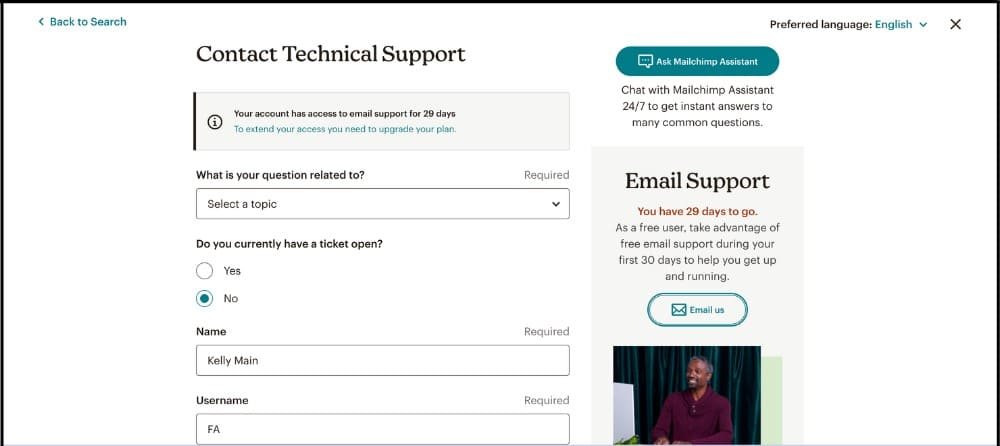
Mailchimp offers a range of customer support and learning resources to help users get the most out of the platform. Depending on your plan, support is available via email, live chat, and an extensive knowledge base. Mailchimp also provides step-by-step tutorials, guides, and a community forum where users can ask questions and share tips. Additionally, Mailchimp Academy offers free courses covering email marketing, automation, audience management, and analytics, helping beginners quickly understand how to use the platform effectively. These resources make Mailchimp accessible for new users while still offering advanced guidance for experienced marketers.
Security, Compliance, and Data Protection
Mailchimp takes security, compliance, and data protection seriously, ensuring that users’ information and customer data are safe. The platform is fully compliant with major regulations such as GDPR and CAN-SPAM, helping businesses meet legal requirements when sending emails. Mailchimp employs robust security measures, including data encryption, two-factor authentication, and activity monitoring to protect accounts from unauthorized access. Additionally, Mailchimp follows strict policies for storing and handling customer data, giving businesses confidence that their subscriber information is secure. These features make Mailchimp a reliable platform for businesses of all sizes that prioritize security and compliance.
Pros and Cons of Mailchimp
Mailchimp is one of the most widely used email marketing platforms, offering a mix of advantages and some limitations depending on your business needs.
Pros:
- User-friendly interface: Mailchimp is easy to navigate, even for beginners.
- Powerful automation: Set up workflows and customer journeys with minimal effort.
- Wide range of templates and design tools: Create professional emails without coding.
- Extensive integrations: Connect with ecommerce platforms, CRMs, and third-party apps.
- Comprehensive analytics: Track performance and optimize campaigns effectively.
Cons:
- Pricing increases with list size: Costs can grow quickly as your audience expands.
- Limited support on free plan: Access to live chat or email support is restricted.
- Advanced features require higher-tier plans: Some automation, segmentation, and reporting options are only available in Standard or Premium plans.
Overall, Mailchimp provides a strong balance of ease of use and advanced features, making it suitable for small to medium-sized businesses, while larger enterprises should carefully consider feature needs and pricing.
| ✅ Pros of Mailchimp | ❌ Cons of Mailchimp |
|---|---|
| Very easy to use, even for beginners | Pricing increases quickly as your list grows |
| Clean and intuitive user interface | Limited customer support on the free plan |
| Powerful email automation and Customer Journeys | Advanced features locked behind higher-tier plans |
| Large library of email templates | Can feel expensive compared to some alternatives |
| Drag-and-drop email editor (no coding needed) | Basic CRM compared to dedicated CRM tools |
| Strong deliverability and sender reputation | Fewer customization options on lower plans |
| Advanced analytics and performance reporting | Not ideal for very large enterprises |
| Integrates with Shopify, WordPress, WooCommerce, and more | Some features require technical setup |
| Free plan available for beginners | Audience-based pricing model can be confusing |
Conclusion
Mailchimp remains one of the leading email marketing platforms in 2025, thanks to its combination of ease of use, powerful automation, and extensive integrations. For small businesses, bloggers, and ecommerce stores, Mailchimp offers an accessible and scalable solution to manage email campaigns, automate customer journeys, and track performance effectively.
While larger enterprises may need to evaluate pricing and advanced CRM capabilities, Mailchimp’s flexibility, template library, and analytics make it a reliable choice for most users. Its free plan allows beginners to get started without risk, and the paid plans scale to meet growing marketing needs.
Overall, if you are looking for a user-friendly, feature-rich email marketing platform that supports automation, personalization, and audience growth, Mailchimp is still worth considering in 2025.
FAQ
What is Mailchimp used for?
Mailchimp is used for email marketing, marketing automation, audience management, and basic CRM. Businesses use Mailchimp to send newsletters, automate customer journeys, promote products, and track campaign performance.
Is Mailchimp free to use?
Mailchimp is one of the best email marketing tools for small businesses thanks to its user-friendly interface, templates, and automation features.
How much does Mailchimp cost in 2025?
Mailchimp pricing depends on your plan and number of contacts. Costs increase as your email list grows, which is an important consideration for scaling businesses.
Does Mailchimp support ecommerce?
Yes, Mailchimp integrates with ecommerce platforms like Shopify and WooCommerce. It supports product recommendations, abandoned cart emails, and revenue tracking.
What are the best alternatives to Mailchimp?
Popular Mailchimp alternatives include Constant Contact, Brevo (Sendinblue), GetResponse, and ConvertKit, depending on your business needs.
Is Mailchimp worth it in 2025?
Mailchimp is still worth it in 2025 for beginners, SMBs, and ecommerce stores that want an all-in-one marketing platform with strong automation and integrations.