MailerLite vs Mailchimp if you’ve been searching for the right email marketing platform, chances are you’ve already seen these two names pop up everywhere. And for good reason. They’re two of the most popular email marketing tools on the planet, trusted by millions of bloggers, creators, and businesses worldwide.
But here’s the thing: popular doesn’t always mean right for you.
Both platforms promise to help you grow your audience, send beautiful emails, and automate your marketing. But under the hood, they work very differently and the wrong choice could mean overpaying by hundreds of dollars a year, wrestling with a tool that’s too complex for your needs, or missing out on features that could genuinely grow your content business.
Table of Contents
MailerLite vs Mailchimp: Overview & Target Audience
If you’ve ever searched for an email marketing platform, you’ve almost certainly run into both MailerLite and Mailchimp. They’re two of the most popular tools in the space but they were built with very different users in mind. Understanding who each platform was designed for is the fastest way to figure out which one is right for you.
What Is Mailchimp?
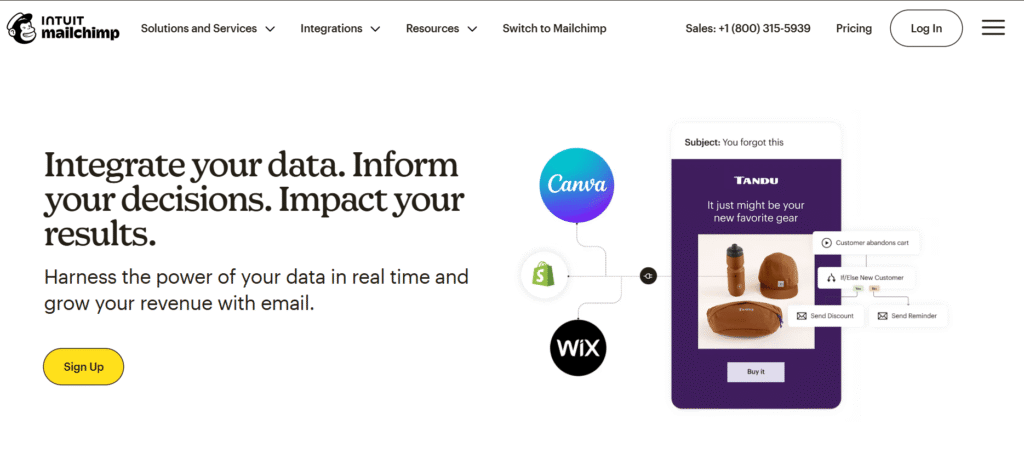
Mailchimp has been around since 2001 and has built a huge reputation as one of the most widely used email marketing tools in the world. Over the years, it has evolved from a straightforward email newsletter tool into a full all-in-one marketing suite complete with automation, CRM features, social ad management, SMS marketing, and advanced analytics.
That growth has made Mailchimp a powerful option for established businesses, marketing teams, and eCommerce brands that need a wide range of tools under one roof. But it has also made the platform more complex and significantly more expensive than it used to be.
Mailchimp is best suited for:
- eCommerce businesses with product-based automation needs
- Marketing teams managing multi-channel campaigns
- Larger organizations with advanced segmentation requirements
- Users who need deep integrations with platforms like Shopify, Salesforce, or WooCommerce
What Is MailerLite?
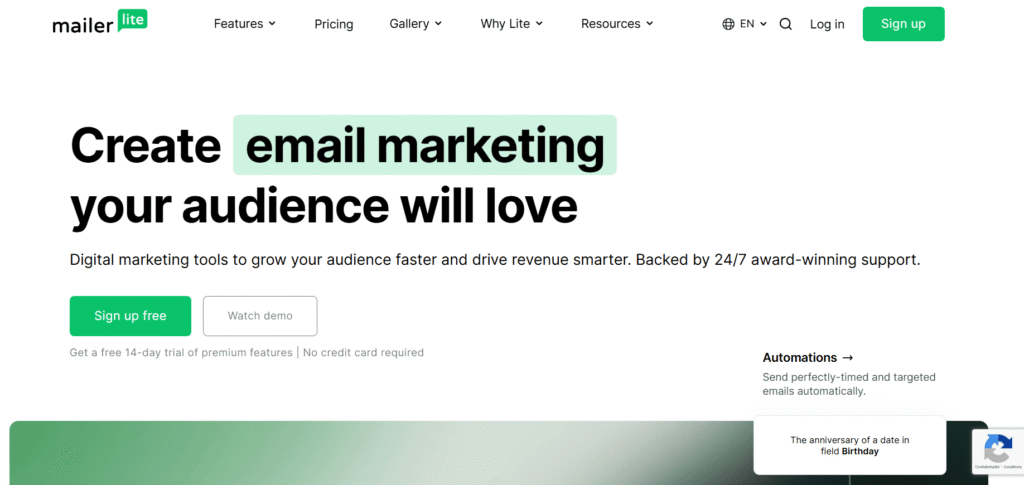
MailerLite came with one simple idea: great email marketing without the hassle and the expense. It’s a lean, focused platform built around the core things most email marketers actually need campaigns, automation, landing pages, and subscriber management without the bloat of features you’ll rarely use.
MailerLite is a user-friendly alternative for people who want reliable and powerful email marketing features at a fair price. It’s particularly well-loved among bloggers, content creators, and small businesses who want to grow their audience without paying a premium for it.
In some ways, MailerLite is like 2013-era Mailchimp: a great free plan, affordable paid plans, and a tight focus on email marketing rather than all-in-one marketing features.
MailerLite is best suited for:
- Bloggers and content creators building their first email list
- Solopreneurs and freelancers who need simplicity and affordability
- Creators selling digital products, courses, or paid newsletters
- Small businesses that want automation without paying extra
| The Core Difference in a Nutshell Think of it this way: if your priorities are budget, transparency, and essential features, MailerLite wins on value. For high-growth teams needing advanced marketing muscle, Mailchimp’s higher cost is more justified if you truly tap into its deeper capabilities. For most bloggers and content creators, MailerLite hits the sweet spot. For scaling eCommerce brands or marketing teams with complex needs, Mailchimp has the depth. |
Feature
| Feature | MailerLite (Growing Business) | Mailchimp (Standard) |
| Email Automation | ✅ Full multi-step | ✅ Full multi-step |
| A/B Testing | ✅ Included | ✅ Included |
| Landing Pages | ✅ Unlimited | ✅ Included |
| Email Templates | ✅ Unlimited | ✅ 130+ |
| Sell Digital Products | ✅ Built-in | ❌ Not native |
| SMS Marketing | ❌ Not available | ✅ Add-on |
| AI Writing Assistant | ✅ ChatGPT integration | ✅ Native AI assistant |
| Social Ad Management | ❌ Not available | ✅ Included |
| eCommerce Integrations | ✅ Shopify, WooCommerce | ✅ Deep integrations |
| Users per account | 3 users | 5 users |
| Customer Support | ✅ 24/7 live chat | ✅ 24/7 (paid plans) |
Ease of Use & User Interface
When comparing MailerLite vs Mailchimp, ease of use is one of the most important factors especially for bloggers and content creators who’d rather spend time creating content than wrestling with software. So how do these two platforms actually feel to use day-to-day?
MailerLite
MailerLite has built its reputation on being delightfully easy to use. The dashboard is clutter-free, navigation feels intuitive, and there’s little learning curve, even for complete beginners.
MailerLite’s dashboard limits menu items to the core features you need to manage on a regular basis: email campaigns, subscribers, forms, landing pages, products, and automations. Nothing extra, nothing confusing just the tools you actually use.
The drag-and-drop email editor is equally beginner-friendly. MailerLite offers three flexible options for email creation: an enhanced drag-and-drop builder with over 80 pre-built content blocks, a streamlined rich-text editor for simpler campaigns, and a custom HTML editor for developers requiring full control.
MailerLite’s dashboard is so intuitive that a new campaign can be done in less than three clicks complete novices have been seen making their first email campaigns in less than half an hour.
One thing to be aware of: MailerLite’s account approval process can confuse new users who have no prior experience with email authentication methods. It’s a minor friction point at setup, but once you’re in, the experience is smooth throughout.
Mailchimp
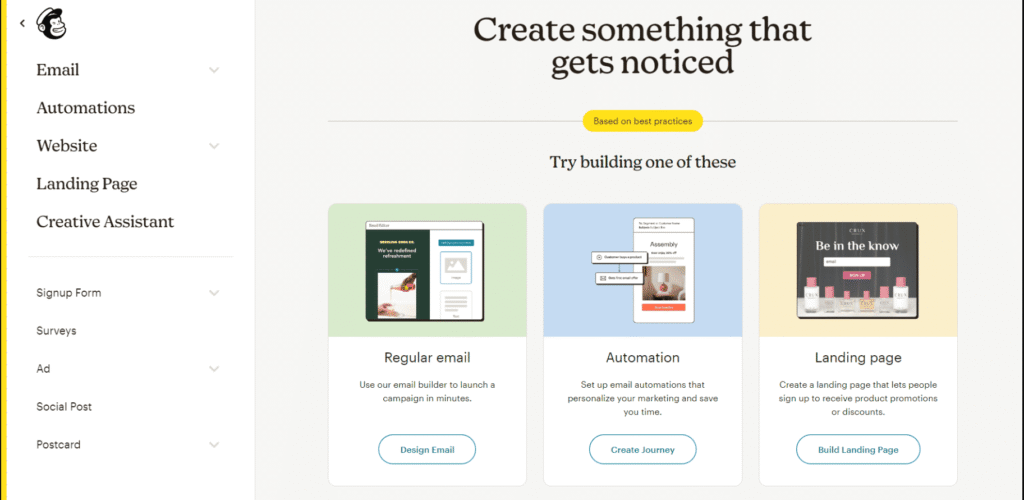
Mailchimp has worked hard on its interface over the years, and the improvements show. With Mailchimp, you spend the first hour thinking, « Okay, there’s a lot here, but I can figure it out. » Everything’s labeled clearly, the interface makes sense, and you can launch a campaign by the end of your first session.
Mailchimp recently improved its email builder interface to be more modern while allowing for inline editing, so you can edit emails more quickly. The drag-and-drop feature includes standard content blocks such as images, text, buttons, social media links, and product recommendations.
However, Mailchimp’s growth into a full marketing suite has come at a usability cost. Mailchimp is a victim of its own success here: there are so many tools that navigating through them all takes time. For bloggers who just need to send campaigns and run automations, all those extra features can add unnecessary noise.
Some functions in Mailchimp’s platform are still hard to find, and interface updates don’t necessarily make things easier for complete beginners. To its credit, if you sign up for Mailchimp and need help figuring it out, you can schedule a free 1:1 onboarding call within your first 90 days a genuinely useful feature for new users who need guidance.
Email Editor: Drag-and-Drop Head to Head
Both platforms use drag-and-drop editors, but the experience feels quite different in practice.
Both MailerLite and Mailchimp have solid, user-friendly drag-and-drop email editors. It is easier to play around with layouts in MailerLite’s editor, which is especially helpful for those handy pre-designed layout blocks.
With Mailchimp, what you can’t do easily is play with different layouts once you’ve chosen your template it’s all pretty fixed. That rigidity can be frustrating when you want to experiment quickly with a new design.
Mobile Optimization
Both platforms handle mobile responsiveness well. MailerLite users value the mobile-friendly design and the ability to view how emails will appear on mobile devices, finding the mobile optimization effective with a clean and easy-to-read layout. Mailchimp users also appreciate automatic mobile optimization and the ability to preview emails on different devices. No meaningful advantage for either platform here both get the job done.
| The Verdict With MailerLite, you spend the first hour thinking, « Oh, that’s it? » Everything feels obvious. When you hover over something, a tooltip explains it. If you look confused, a little video tutorial offers to help. You’ll probably send your first campaign in half the time. Overall, users find MailerLite easy to use and efficient, while Mailchimp is seen as offering extensive features but at the cost of a steeper learning curve. For bloggers and content creators, time is precious. MailerLite respects that. Mailchimp rewards patience. Winner: MailerLite faster to learn, cleaner to navigate, and less overwhelming for creators who want to focus on their content, not their marketing software. |
Automation: Build Sequences Without Paying Extra
Email automation is a must-have for bloggers running welcome sequences, delivering lead magnets, or nurturing new readers.
MailerLite Automation
MailerLite’s visual automation builder is easy to use and lets you build multi-step automation journeys even on the free plan. You can trigger workflows based on subscriber behavior, use 15 pre-built templates, and A/B test your sequences.
Mailchimp Automation
Mailchimp’s Customer Journey Builder offers 100+ pre-built journeys, but the free plan only supports single-step automations. For proper multi-step welcome sequences, you’ll need a paid plan.
MailerLite vs Mailchimp: Audience Management & Segmentation
When comparing MailerLite vs Mailchimp, how each platform handles your subscriber list is one of the most consequential differences not just for your marketing results, but for your monthly bill. Let’s break it down.
MailerLite
MailerLite uses a single master list model. All your subscribers live in one unified place, and you use groups and segments to organize and target them however you want.
A contact can belong to multiple groups and is still counted only once toward your plan’s limit. This keeps things simple, transparent, and cost-effective especially as your list grows.
Here’s how the system works in practice:
- Groups manually created categories you assign subscribers to (e.g., « Free Course Students, » « Newsletter Readers, » « VIP Members »)
- Tags labels applied automatically or manually to track behavior or interests
- Segments dynamic filters built on subscriber data such as location, signup source, timezone, open behavior, or custom fields
MailerLite delivers strong fundamentals: you can tag, group, and segment subscribers based on behavior, source, geography, or custom fields. The interface makes it easy to filter and create highly targeted segments, supporting personalization even in large lists.
One standout feature: MailerLite lets you set up an automated process that removes subscribers from a particular group when they join another something Mailchimp does not have. For bloggers managing content funnels, that kind of automation keeps your list clean without manual effort.
MailerLite doesn’t charge you for each segment it charges you based on how many actual subscribers you have. Simple, fair, and predictable.
Mailchimp
Mailchimp takes a more complex, layered approach to audience management. With Mailchimp, you have audiences (lists), groups, segments, and tags all of which can make beginners confused. However, they do offer great flexibility.
At the top level, Mailchimp uses separate Audiences (essentially separate lists). Within each Audience, you can apply tags, create groups, and build segments using a wide range of conditions. Mailchimp’s system revolves around tags (labels you create), groups (interests subscribers choose), and segments (filters based on any audience data), letting you combine behaviors like last purchase and campaign activity with fields and location data.
Where Mailchimp genuinely shines is in the depth of its segmentation. Mailchimp supports advanced segments using « Any » or « All » logic with dozens of filters, including activity, eCommerce data, geography, and device, as well as event-based segmentation such as customers who haven’t opened in 30 days or purchased in 90 days and even lookalike audiences for expanding campaign reach. For eCommerce brands or marketers managing large, complex databases, that kind of granularity is genuinely powerful.
The catch? The main downside is that you cannot manage your contacts all together. Each audience is a separate « entity, » so if you have the same subscriber on two different lists, it counts as two contacts and you double-pay for that same person.
To put this into perspective: imagine you have 5,000 contacts. In Mailchimp, if 2,000 of them appear in both a « Customers » audience and a « Newsletter » audience, you’re billed for 7,000 contacts. In MailerLite, you’re billed for 5,000, regardless of how many groups they’re in.
Integrations & Ecosystem
When comparing MailerLite vs Mailchimp, integrations matter more than most people realize. Your email platform doesn’t work in isolation it needs to connect with your blog, your eCommerce store, your CRM, and the other tools that run your business. So how do these two platforms stack up when it comes to plugging into your existing workflow?
MailerLite Integrations: Focused, Practical & Accessible
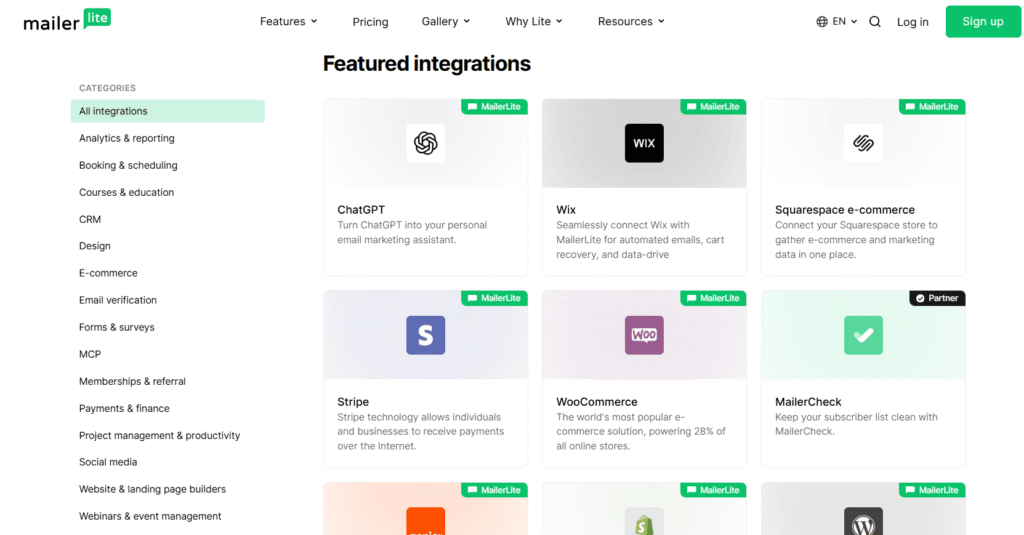
MailerLite provides a well-balanced integration ecosystem focused on practicality and ease of implementation. While it doesn’t offer the massive breadth of integrations that Mailchimp boasts, it excels in providing the most commonly needed connections for email marketers, creators, and small business users.
MailerLite has a healthy integration ecosystem with over 140 connections, including Shopify, WooCommerce, Zapier, and WordPress. For most bloggers and content creators, this covers everything they’ll ever need.
Mailchimp Integrations: The Biggest Ecosystem in Email Marketing
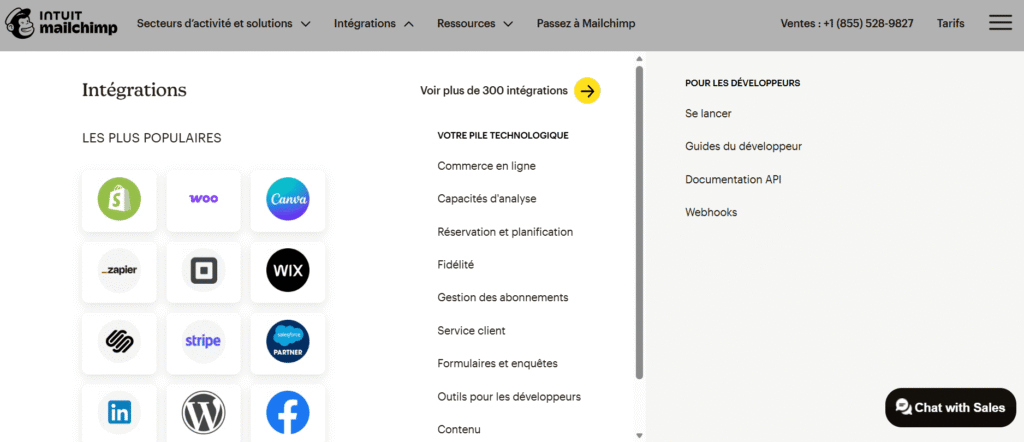
This is where Mailchimp has a clear, undeniable advantage. Mailchimp supports over 300 direct integrations with everything from eCommerce, CRM, social media, analytics, advertising, content management, and productivity tools making it one of the most connected email platforms on the market.
Mailchimp’s integrations aren’t just plug-ins they often include deep, two-way data exchange. For example, its eCommerce integrations don’t just sync contacts they pull in purchase history, browsing behavior, and order data to power highly targeted automations.
Key Mailchimp integration categories include:
- eCommerce: Shopify, WooCommerce, Magento, BigCommerce, PrestaShop
- CRM: Salesforce, HubSpot, Zoho CRM
- Analytics: Google Analytics 360, native social and conversion tracking
- Advertising: Facebook Ads, Instagram Ads, Google Remarketing Ads
- Productivity: Slack, Microsoft Teams, Typeform, Eventbrite
- SMS: native SMS marketing (no third-party tool required)
A lot of Mailchimp’s automation templates are linked directly to third-party apps and integrations so for example, you can set up automations to get alerts in Slack or Teams whenever someone new signs up. That level of cross-platform connectivity is genuinely impressive.
| Integrations & Ecosystem: The Verdict Mailchimp offers twice as many integrations as MailerLite so the point clearly goes to Mailchimp in terms of raw volume. If you’re running a large eCommerce operation or need enterprise-level connectivity, that matters. But for bloggers and content creators, MailerLite’s integrations with WordPress, Zapier, WooCommerce, and Shopify make it a practical choice for those with straightforward email marketing requirements without the complexity or cost that comes with Mailchimp’s broader ecosystem. Winner: Mailchimp (on raw numbers) but MailerLite is more than enough for most content creators, especially when Zapier fills the gaps. |
MailerLite vs Mailchimp: Pricing & Value for Money
When it comes to MailerLite vs Mailchimp, nothing separates these two platforms more clearly than price. Let’s break down exactly what you get and what you pay at every level.
Free Plan Comparison
MailerLite’s free plan is considerably more generous than Mailchimp’s: twice the subscribers, 24x more emails per month, and automation included.
| Feature | Mailerlite Free | Mailchimp Free |
| Subscribers | 500 | 250 |
| Emails/month | 12,000 | 500 |
| Email Automation | ✅ Included | ❌ Removed (June 2025) |
| A/B Testing | ✅ Included | ❌ Not included |
| Landing Pages | ✅ 10 pages | ❌ Not included |
| Email Templates | ❌ Not included | ✅ 8 basic templates |
| MailerLite branding | ✅ On emails | ✅ On emails |
| Customer Support | ❌ Limited | ❌ 30 days only |
| eCommerce integrations | ✅ Included | ❌ Not included |
Paid Plans: Head-to-Head Price Comparison
| Subscribers | MailerLite (Growing Business) | Mailchimp (Standard) |
| 500 | ~$9/month | ~$13/month |
| 1000 | ~$14/month | ~$26/month |
| 2500 | ~$25/month | ~$69/month |
| 5000 | ~$39/month | ~$100/month |
| 10000 | ~$73/month | ~$110/month |
| 15000 | ~$109/month | ~$185/month |
| Monthly send limit | ✅ Unlimited | ❌ Capped + overage fees |
| Overage charges | ❌ None | ✅ Yes |
The Hidden Cost Problem With Mailchimp
This is where Mailchimp’s pricing model gets particularly frustrating for bloggers and growing lists.
With Mailchimp, you pay for inactive contacts meaning unsubscribed and invalid email addresses still count toward your quota. MailerLite does not engage in this practice.
Mailchimp also has some hidden costs for duplicate contacts. If you have the same email in multiple audience lists, Mailchimp counts that as two separate contacts and charges you accordingly.
There are also fewer contact tiers in Mailchimp compared to competitors. If you have 8,000 contacts, you’ll be billed for 10,000. With MailerLite, you pay for exactly the tier you’re on.
| Billing Practice | MailerLite | Mailchimp |
| Charges for unsubscribed contacts | ❌ No | ✅ Yes |
| Charges for duplicate contacts | ❌ No | ✅ Yes |
| Granular subscriber tiers | ✅ Yes | ❌ Fewer tiers |
| Monthly send caps | ❌ Unlimited | ✅ Capped |
| Overage fees | ❌ None | ✅ Yes |
| Annual billing discount | ✅ ~15% off | ✅ ~15% off |
| Nonprofit discount | ✅ 30% | ✅ 15% |
Conclusion: MailerLite vs Mailchimp
We’ve covered a lot of ground in this MailerLite vs Mailchimp comparison. From pricing and ease of use to automation, segmentation, integrations, and value for money both platforms have been put under the microscope. So what’s the final verdict?
The honest answer is: it depends on where you are in your journey.
Choose MailerLite If…
MailerLite is the right platform for you if you’re a blogger, content creator, or solopreneur who wants a powerful, affordable, and beginner-friendly email marketing tool that grows with you.
It wins on every metric that matters most to independent creators:
- ✅ The most generous free plan in its class
- ✅ Full automation included even on the free tier
- ✅ Transparent, predictable pricing with no billing traps
- ✅ Built-in tools to sell digital products and run paid newsletters
- ✅ Clean, intuitive interface that doesn’t slow you down
- ✅ 24/7 live chat support from day one
If you’re just starting your email list or you’ve been overpaying for Mailchimp and looking for a smarter alternative MailerLite is almost certainly the better move.
Choose Mailchimp If…
Mailchimp is the right platform for you if you’re running an established business with complex, multi-channel marketing needs — and you have the budget to match.
It’s the stronger choice when you need:
- ✅ Deep eCommerce automation with purchase and behavior triggers
- ✅ Native SMS marketing alongside email
- ✅ Advanced analytics with social and conversion tracking
- ✅ A massive ecosystem of 300+ native integrations
- ✅ AI-powered content tools built directly into the platform
If you’re scaling fast, managing a large team, or running a Shopify or WooCommerce store that demands sophisticated automation, Mailchimp earns its price tag.
Still Not Sure? Here’s a Quick Decision Guide
| Your Situation | Best Choice |
| Just starting your email list | ✅ MailerLite |
| Budget is a top priority | ✅ MailerLite |
| Selling digital products or courses | ✅ MailerLite |
| Running a paid newsletter | ✅ MailerLite |
| Small blog, under 10,000 subscribers | ✅ MailerLite |
| Large eCommerce store | ✅ Mailchimp |
| Need SMS + email in one platform | ✅ Mailchimp |
| Managing a large marketing team | ✅ Mailchimp |
| Need Salesforce or HubSpot CRM sync | ✅ Mailchimp |
| Discover more guides to grow your business. Did you enjoy this article? Explore our other practical guides to boost your online business and find the tools that suit you best. |